Hello guys, what is up? I hope all is well. In this article, I will be walking you through how I built my first startup. I had planned for another one, which I will tell you about in the future, but I think this will be the first one, and I want to share the entire journey with you.
What Is The Link Spot?
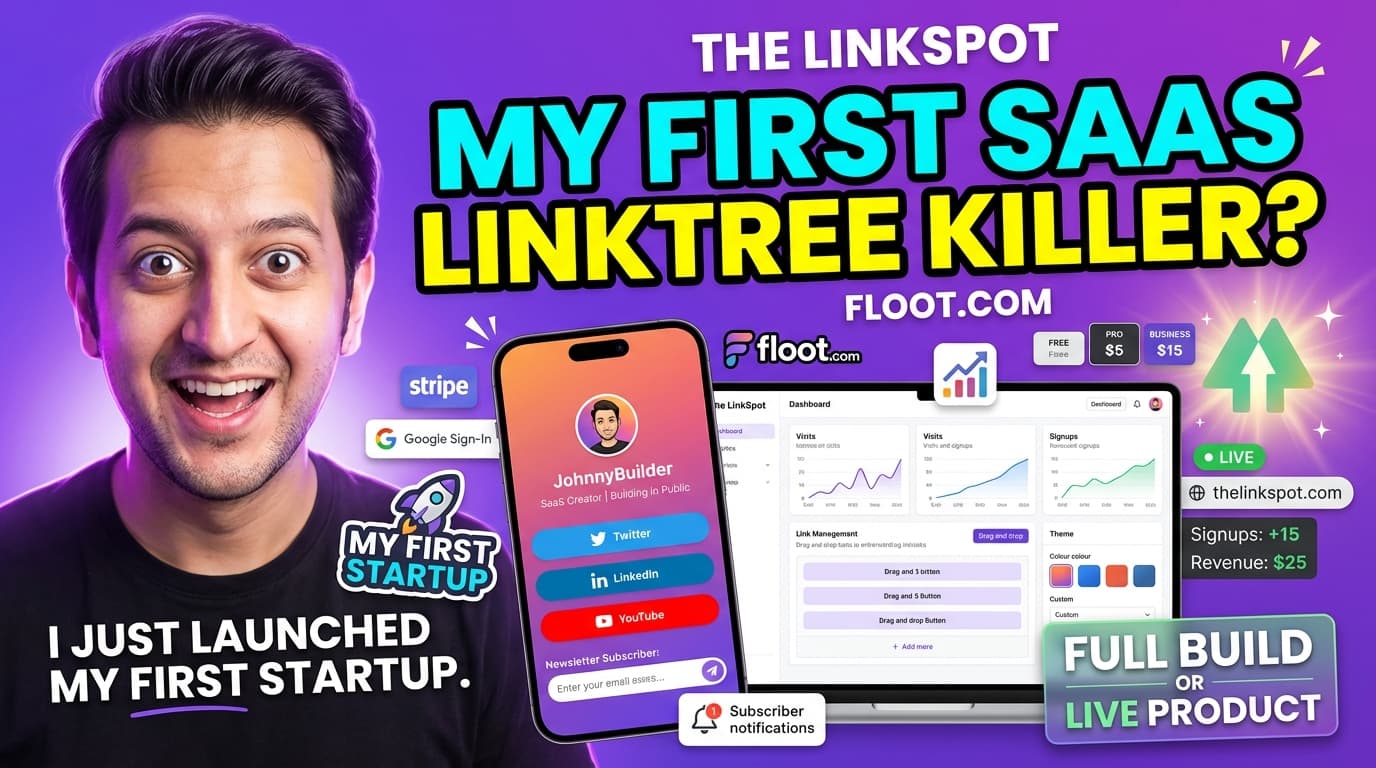
So this is called The Link Spot. I have already secured the domain name. Basically, it's a link-in-bio SaaS built from scratch. If you think about it, creators get one link in their bio, but they need dozens. Instagram users' average bio link CTR is 3%, and Linktree's valuation is $1.3 billion. When you have an Instagram account, you are only able to put just one link. So what we are doing is a similar concept to Linktree, but with a bit of a unique twist.
We are building The Link Spot — one link, every destination. You will get unlimited links, beautiful themes, click analytics, email capture, custom domains, and it is lightning fast.
The Tech Stack
The tech stack for this build is as follows:
[Floot.com](https://kylanjari.com/floot) — the main builder tool I used to build the entire application
Stripe — to receive payments
AWS hosting — which is actually built in with Floot
Built-in database — for users, pages, and analytics
Auth and user management — login, sign up, and roles
The Pricing Model
Here is how the pricing model works:
Free — 1 page, 5 links, basic themes, and The Link Spot branding
Pro ($5/month) — unlimited links, all themes plus custom themes, analytics, and no branding whatsoever
Business ($15/month) — everything in Pro, custom domain, 5 pages, and priority support
I might change this a little bit, but so far, this is how it is going to work.
Building It Live with Floot
So let's build together, from zero to a live product. Powered by Floot, no code required. I have to say, I think this tool is better than Lovable, to be honest, because I have been using it for a while now and it is amazing. It is very affordable, and the quality is great.
I got my prompt ready. It is the same thing I showed in my presentation slides — I explained the full concept, and then I hit build. After the build, I put my domain name, which is thelinkspot.com, and you can use this for free, absolutely free.
The Build Process
Once I clicked build, Floot started creating the pages — the login page, the register page, everything. It was going to ask me to put Stripe keys and all that, which I added later. But the important thing is that most of the stuff is built in with this tool.
After the build was done, I published it and tested it on a fresh tab. The first thing I checked was the login system. I clicked on "Continue with Google" and it worked perfectly.
I created my page, chose the sunset theme, and clicked "Create Page." The page link appeared at the top. When I clicked on it — wow, I liked it. Powered by The Link Spot, amazing. It was very basic, but I could always improve it.
Building Step by Step
Here is a key lesson I learned: you have to build step by step. You cannot build everything in one shot. Otherwise, it is not going to build properly. I had a to-do list of features:
Build analytics page with date picker
Build subscribers page
Build settings page
Build pricing page with comparison table
Build 404 page with "claim this username" CTA
Implement Stripe checkout integration for Pro and Business plans
Add email capture field to public link pages
Add link scheduling
Add social icons row to public link pages
When I tried to build everything in one go, Floot struggled. But when I sent each task one by one, it handled them perfectly. So the key takeaway is: build one by one, not everything at once.
Testing the Final Product
After all the features were built, I published everything and started testing. The home page now had nice animations, a proper hero section, and the plans were displayed clearly. Subtle gradients, smooth animations — I already loved it.
The dashboard was working. I could add links, delete them, and manage everything. The settings page was there. The analytics page showed total views and device stats. The subscribers section showed anyone who subscribed through the public page.
Stripe Integration and Upgrading
I tested the upgrade flow by entering a test card (this was in sandbox mode, not taking real payments). I upgraded to the Pro plan, and it worked flawlessly. Can you believe it? For $25 a month with Floot, you get this kind of functionality with Stripe built in and everything.
Once on the Pro plan, I could access appearance settings, SEO title and description, analytics mode, and the branding toggle. I unchecked "Show Powered by The Link Spot," and the branding was gone instantly.
What It Cost to Build
This entire application cost me 20,000 Floot credits to build. Now, compare that to paying a developer $10,000 to $20,000 to build all this. With the minimum Pro plan on Floot, you get 25,000 credits for $25 per month. So I still had 5,000 credits left over.
And remember, this is a big application. If you are building something smaller, it will cost even less. Plus, your credits renew every month. So you can keep working on one project for $25 per month and keep improving it. That is amazing value.
Improving the Hero Section
The only thing I was not happy with was the hero section — it was too basic. So I prompted Floot to improve it with animations and more data-rich content so viewers could see the advantages of the web app. After the rebuild, we had a much better hero section with icons, gradients, and a proper "Start Free" call to action.
A quick tip: if the AI does not understand what you want, the best approach is to take a screenshot, give it to ChatGPT, explain what you want, get a prompt from ChatGPT, and then put that prompt into Floot. Works like a charm.
What Is Next
This is just scratching the surface. I will be making this better. I will improve the hero page further, add more themes, more custom themes, and keep building on top of what is already there.
I am treating this as a real business. I will never change it. I will keep publishing updates and improvements.
If you are watching the video, I have put the link in the description. You can test it out, sign up, and let me know if you find any bugs or have any suggestions. We can improve it together.
Part two of this series will be coming soon. I will test everything thoroughly, implement improvements, and share the entire process with you.
So yeah, that is it for this one. If you found this helpful, please hit the like button and subscribe. I will see you in the next one.